


Why 264.68.111.161 Isn’t a Valid IP
In networking, tiny details matter. One extra digit or an out-of-range number can quietly break logs, APIs, firewalls, or dashboards. A common example is 264.68.111.161, a string that appears to be an IPv4 address but isn’t valid. Understanding why helps developers, sysadmins, and security teams prevent bugs, reduce monitoring noise, and strengthen input validation across systems.
The IPv4 rules that 264.68.111.161 breaks
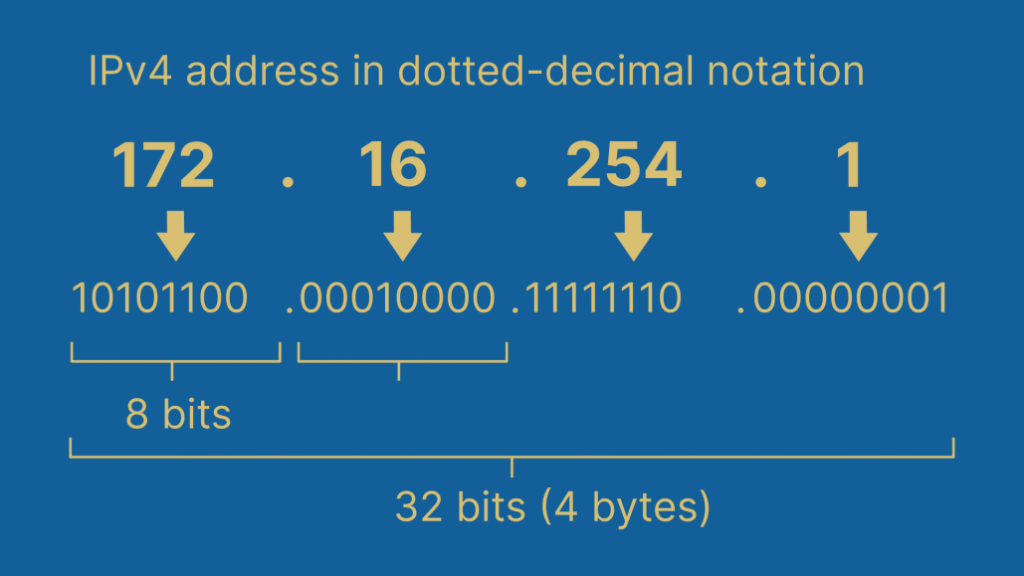
IPv4 addresses follow strict, decades-old rules designed to be simple and reliable. When any rule is violated, the address becomes unusable—no matter how “close” it looks.
The four-octet structure
An IPv4 address is written in dotted-decimal notation with four octets separated by periods:
A.B.C.D
Each octet is an 8-bit number. That technical detail is crucial.
The 0–255 limit
Because each octet is 8 bits, its value must fall between 0 and 255, inclusive. This limit isn’t a preference—it’s math. Eight bits can only represent 256 distinct values.
- Valid examples: 192.168.1.1, 8.8.8.8, 10.0.0.5
- Invalid examples: 300.1.1.1, 256.0.0.1, -1.10.10.10
Now look closely at 264.68.111.161. The first octet is 264, which exceeds the maximum of 255. That single violation makes the entire address invalid, even though the other three octets are within range.
Why systems reject it
Most networking stacks, parsers, and libraries perform at least basic validation. When they encounter an octet outside 0–255, they will:
- Reject the input outright
- Log a parsing error
- Drop the value during normalization
- Flag it as malformed data
According to the official IPv4 address space definition maintained by the Internet Assigned Numbers Authority (IANA), no IPv4 octet can exceed 255, and any value that does is outside the standard and unusable for routing or identification (see IANA’s IPv4 documentation).
A quick checklist for IPv4 validity
Before accepting an address as IPv4, verify:
- Exactly four octets are present
- Each octet is numeric
- Each value is between 0 and 255
- No extra characters or whitespace exist
Failing any one of these checks means the address isn’t valid.
Real-world problems caused by 264.68.111.161-style input
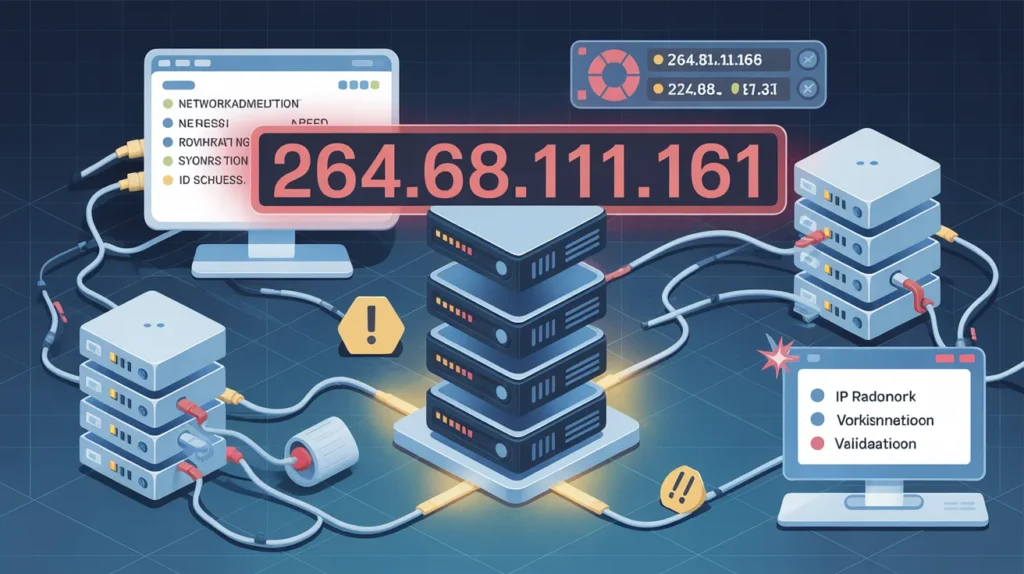
Invalid IP addresses rarely appear by accident. They usually signal a deeper issue in data handling, validation, or security. Here’s how they show up in production systems.
1) Application and API bugs
Forms and APIs that accept IP addresses sometimes rely on weak validation, such as simple regex checks that only match numbers and dots. As a result, an address like 264.68.111.161 can slip through initial filters and fail later during processing.
Common symptoms include:
- Unexpected exceptions during parsing
- Failed database inserts
- Silent data truncation or normalization errors
2) Noisy logs and broken analytics
When malformed IPs enter logging or analytics pipelines, they can pollute datasets:
- Dashboards show “unknown” or null locations
- Aggregations fail when casting strings to IP types
- Alerts trigger due to malformed records
Over time, this noise makes it harder to spot real issues.
3) Security monitoring false positives
Security teams often inspect IP fields for abuse patterns. Invalid values may indicate:
- Bot traffic using poorly generated headers
- Fuzzing attempts against input fields
- Misconfigured proxies or load balancers
While 264.68.111.161 isn’t a valid source address, its presence can still be a useful signal—if handled correctly.
4) Firewall and network rule failures
Firewalls, ACLs, and routing rules expect valid addresses. Feeding them malformed input can cause:
- Rule creation failures
- Ignored or skipped policies
- Configuration drift between environments
In strict systems, the entire rule set may be rejected due to one invalid value.
How to prevent invalid IPs in your systems
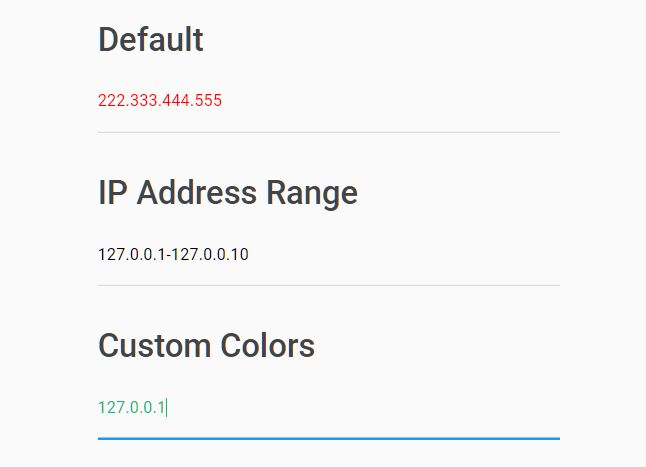
Preventing issues is easier than cleaning them up later. A few disciplined practices go a long way.
Use proper parsers, not regex alone
Regular expressions are helpful for structure, but they shouldn’t be the final authority. Instead:
- Use language-native IP parsing libraries
- Validate numeric ranges programmatically
- Reject or sanitize input early
Most modern languages provide robust IP utilities that handle edge cases correctly.
Validate at boundaries
Check IP values at every boundary where data enters your system:
- User forms
- API endpoints
- Log ingestion pipelines
- Third-party integrations
Early rejection prevents downstream failures.
Log and classify invalid input
When invalid values appear:
- Log them separately from valid traffic
- Tag them as “malformed” rather than discarding silently
- Monitor trends over time
This approach helps distinguish between harmless bugs and suspicious activity.
IPv4 vs. IPv6: why this still matters
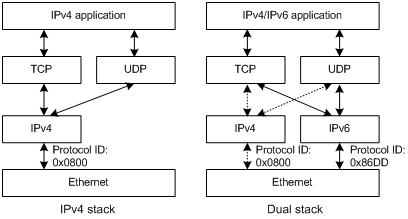
Even as IPv6 adoption grows, IPv4 remains deeply embedded in software, logs, and tooling. Mixed environments are common, and confusion between formats can introduce errors.
Key differences to remember:
- IPv4 uses four octets (0–255)
- IPv6 uses hexadecimal groups and a completely different range
- An invalid IPv4 string doesn’t magically become IPv6
Clear validation rules help avoid cross-format mistakes, especially in dual-stack systems.
Also Read: How Rapelusr Builds Real-Time Personalization
Conclusion
Invalid addresses like 264.68.111.161 are small details with outsized impact, from broken logs to security blind spots. By enforcing strict IPv4 validation, using proper parsers, and treating malformed input as a signal—not just an error—you can build more reliable, secure systems. Audit your IP handling today and tighten validation before these tiny mistakes become big problems.